
AI Video Generation Tool Review
Pictory AI Review 2026: Is It Worth It for Turning Blog Posts Into Video?
We tested Pictory's live pricing and text-to-video workflow before writing this review.
By AI Tools Hub Team

Our Verdict: 7/10
Best for: Marketers, bloggers, and content creators who want to turn existing scripts, blog posts, or URLs into short videos for social media without learning a full video editor.
Skip if: You need hand-picked, cinematic footage for a single important video — Pictory leans on a stock library and templates, not custom production, and there's no permanently free plan.
Updated: November 2026
Pictory is an AI video platform built around turning existing text into video, instead of starting from a blank timeline. You feed it a script, a blog post URL, a PDF, a PowerPoint deck, an audio file, or just a one-line idea, and it breaks the content into scenes, matches each one to stock footage or AI-generated visuals, and adds captions, a voiceover, and background music automatically.
Pictory 3, the version live as of October 2026, added agentic video workflows and AI avatars on top of the original text-to-video engine, so you can also generate a video with a digital presenter instead of relying on stock visuals alone.
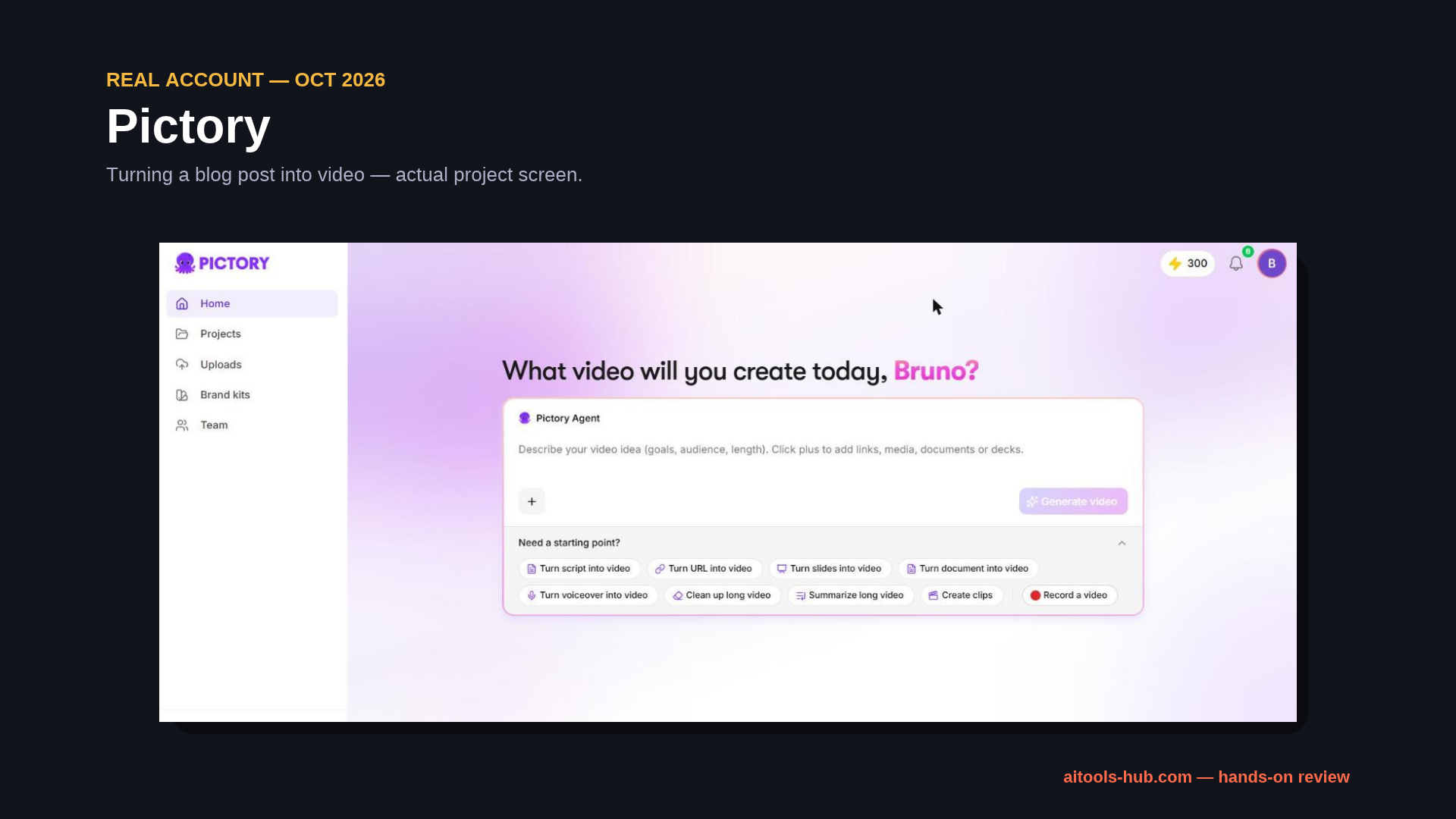
Real screenshot from our own Pictory account — not a stock photo. Captured October 2026.
What Is Pictory
Pictory turns text you've already written — a script, a blog post, a slide deck — into an editable video. It matches each section of the source content to stock footage or AI visuals, adds captions, a voiceover, and music, and lands the result in a text-based editor where you can swap scenes, trim, add branding, and export.
Key Features
- Script to Video / URL to Video: paste a script, blog post link, or article, and Pictory turns each section into a scene with matching visuals, captions, and a voiceover.
- Blog to Video: a dedicated tool for converting a published blog post into a short video, matching scenes to the post's structure — useful for repurposing existing articles into social content.
- PPT, PDF, and Doc to Video: turns an existing slide deck or document into a video without rebuilding the content from scratch.
- AI Video Editor: edits the video by editing text in a document-style interface, instead of dragging clips on a timeline.
- AI Avatars and Voice Cloning: added in Pictory 3 (2026) — lets you present on camera with a digital avatar or a cloned voice instead of stock narration.
- Video Clip Generator: cuts long-form video down into short highlight clips for social media.
- Brand Kits and Templates: 40+ templates, plus saved logos, colors, and fonts so videos stay on-brand.
- Royalty-free stock library: unlimited access to Getty Images and Storyblocks footage on paid plans.
Pricing (as of October 2026)
Starter — $25/mo
Billed annually ($29/mo monthly)
24,000 credits/yr (~360 min)
1 user
All AI models and features
Professional — $35/mo
Billed annually ($59/mo monthly)
72,000 credits/yr (~1,080 min, 3x)
Cloned avatars, voice clones
5 brand kits · unlimited stock · most popular
Teams — $119/mo
Billed annually ($199/mo monthly)
216,000 credits/yr (~3,600 min)
3+ users
Shared brand assets
Enterprise — Custom
Custom AI credits
SSO
Custom-built templates
Talk to sales
There's no permanently free plan — every tier is paid. Each plan offers a 14-day free trial (300 credits, videos up to 5 minutes long, 720p export, with a Pictory watermark on exports). Annual billing saves roughly 15-40% compared to paying monthly.
Pros and Cons
Pros
- Turns a script, blog post, or URL into a complete video (visuals, captions, voiceover, music) in minutes
- Blog to Video and URL to Video tools repurpose content you've already written instead of starting from scratch
- Text-based editor is easier to learn than a traditional timeline-based video editor
- Unlimited Getty Images and Storyblocks footage from the Professional plan up
- Annual billing cuts the price by roughly 15-40% compared to paying monthly
Cons
- No permanently free plan — every tier is paid, starting at $25/month billed annually
- Stock footage can mismatch specific or technical topics, since scenes are matched automatically
- Credits are measured in minutes of finished video per year, which takes trial and error to estimate before committing to a plan
- AI avatars and voice cloning are locked behind the Professional plan and up
Who Should Use It / Who Should Skip It
Use it if you're: a blogger or content marketer who wants to repurpose written articles into short videos for Instagram, TikTok, or YouTube Shorts without learning a video editor; a course creator or trainer turning slide decks into narrated video lessons; a social media manager who needs to turn long-form video or podcasts into short highlight clips regularly.
Skip it if you're: producing a single high-stakes video where hand-picked footage and custom animation matter more than speed — Pictory's stock-matched scenes won't replace a dedicated video editor or agency for that; or you only need a video once or twice a year, since there's no free tier to fall back on between projects.
Final Verdict
Pictory solves a specific problem well: turning text you've already written — a blog post, a script, a slide deck — into a watchable video without learning a full editor. The entry-level Starter plan ($25/month annually) is reasonably priced for someone testing the waters, and the jump to Professional ($35/month annually) adds enough — avatars, voice cloning, unlimited stock — to be worth it once you're publishing video regularly.
Bottom line: If you're already writing blog content and want a low-effort way to turn it into video for social media, Pictory's Starter or Professional plan is worth the trial. If you need polished, hand-crafted video for a single important project, budget for a dedicated editor or agency instead.
Frequently Asked Questions
Does Pictory have a free plan?
No. Every tier is paid, starting at $25/month billed annually ($29/month billed monthly). Pictory offers a 14-day free trial on each plan via the "Start free trial" button — 300 credits, videos up to 5 minutes, 720p export, with a Pictory watermark included.
Can Pictory turn a blog post into a video automatically?
Yes, through its URL to Video and Blog to Video tools — paste the post's link and Pictory breaks it into scenes, matching visuals, captions, and a voiceover to the article's content.
What's included in Pictory's AI avatars feature?
AI Avatars and voice cloning, added with Pictory 3 in 2026, are available from the Professional plan ($35/month annually) and up, letting you present a video with a digital avatar instead of stock footage and a generic voiceover.
How much does Pictory's Professional plan cost?
$35/month if billed annually, or $59/month if billed monthly — it includes 72,000 credits per year (about 1,080 minutes), cloned avatars, voice cloning, 5 brand kits, and unlimited access to Getty Images and Storyblocks footage.
Ready to turn your content into video?
Try Pictory FreeAI Tools Hub may earn a commission when you purchase through links on this site, at no extra cost to you. This helps us keep producing free content and reviews.
Keep Reading
Pair it with AI voiceovers in our ElevenLabs Review, or see our Higgsfield AI Review for AI-generated images. See how it stacks up against other tools in our Best AI Video & Image Tools roundup.
Pingback: Pictory vs Higgsfield (2026): Which AI Video Tool Should You Pick? - AI Tools Hub